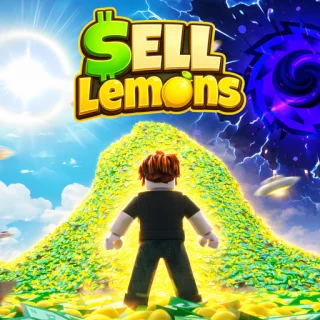
This script helps you to build your lemon empire in this place. Automatically collects lemons, automatically buys new items of your tycoon.
Key Functions
2 listed functions
✓ This script helps you to build your lemon empire in this place. Automatically collects lemons✓ automatically buys new items of your tycoon.
Script Code
321 lines · 6 KB · Lua
Review the code before running it. Use scripts responsibly and only with tools you trust.
--// Rayfield
local Rayfield = loadstring(game:HttpGet('https://sirius.menu/rayfield'))()

local Window = Rayfield:CreateWindow({
	Name = "Lemon Sells",
	LoadingTitle = "Lemon Sell Auto",
	LoadingSubtitle = "By ChatGPT & Gouang",
	ConfigurationSaving = {
		Enabled = false,
	},
	KeySystem = false,
})

local MainTab = Window:CreateTab("Main", 4483362458)

--// Services
local Players = game:GetService("Players")
local LocalPlayer = Players.LocalPlayer

--// Find Tycoon
local userTycoon = (function()
	for _, v in pairs(workspace:GetChildren()) do
		if v:IsA("Folder") and v.Name:match("Tycoon%d") then
			if v:FindFirstChild("Owner") and v.Owner.Value == LocalPlayer then
				return v
			end
		end
	end
end)()

if not userTycoon then
	Rayfield:Notify({
		Title = "Error",
		Content = "Tycoon not found!",
		Duration = 5,
	})
	return
end

--// Variables
local AutoBuy = false
local AutoUpgrade = false
local AutoFruit = false

local Buying = false

local function getButtons()
	local Buttons = {}

	for _, obj in ipairs(userTycoon.Purchases:GetDescendants()) do
		if obj:IsA("Model") then

			local shown = obj:GetAttribute("Shown")
			local purchased = obj:GetAttribute("Purchased")

			if shown == true and purchased ~= true then

				local buttonPart = obj:FindFirstChild("Button")

				if buttonPart and buttonPart:IsA("BasePart") then
					table.insert(Buttons, {
						Name = obj.Name,
						Button = buttonPart,
					})
				end
			end
		end
	end

	return Buttons
end

local function buyButton(buttonData)

	if Buying then
		return
	end

	Buying = true

	local character = LocalPlayer.Character
	if not character then
		Buying = false
		return
	end

	local hrp = character:FindFirstChild("HumanoidRootPart")
	if not hrp then
		Buying = false
		return
	end

	local buttonPart = buttonData.Button

	pcall(function()
		firetouchinterest(hrp, buttonPart, 0)
		firetouchinterest(hrp, buttonPart, 1)
	end)

	Buying = false
end

task.spawn(function()
	while true do
		task.wait(0.0000001)

		if AutoBuy then

			local Buttons = getButtons()

			for _, button in ipairs(Buttons) do
				pcall(function()
					buyButton(button)
				end)
			end
		end
	end
end)

local function upgradeMachines()

	for _, obj in ipairs(userTycoon.Purchases:GetDescendants()) do

		if obj:IsA("RemoteFunction") and obj.Name == "Upgrade" then

			pcall(function()

				for level = 1, 100 do
					obj:InvokeServer(level)
				end

			end)
		end
	end
end

task.spawn(function()
	while true do
		task.wait(0.00001)

		if AutoUpgrade then
			pcall(function()
				upgradeMachines()
			end)
		end
	end
end)

local Trees = {}

local function addTree(obj)
	if obj:IsA("Model") and obj.Name == "LemonTree" then

		if not table.find(Trees, obj) then
			table.insert(Trees, obj)
		end
	end
end

local function removeTree(obj)

	local index = table.find(Trees, obj)

	if index then
		table.remove(Trees, index)
	end
end

-- initial scan
for _, v in ipairs(workspace:GetDescendants()) do
	addTree(v)
end

-- realtime update
workspace.DescendantAdded:Connect(addTree)
workspace.DescendantRemoving:Connect(removeTree)

local function noCollisionTree(tree)

	for _, obj in ipairs(tree:GetDescendants()) do
		if obj:IsA("BasePart") then
			obj.CanCollide = false
		end
	end
end

local function teleportToTree(tree)

	local character = LocalPlayer.Character
	if not character then
		return false
	end

	local hrp = character:FindFirstChild("HumanoidRootPart")
	if not hrp then
		return false
	end

	local cf = tree:GetPivot()

	hrp.CFrame = cf + Vector3.new(0, 5, 0)

	return true
end

local function collectFruit(tree)

	noCollisionTree(tree)

	local success = teleportToTree(tree)

	if not success then
		return
	end

	for _, obj in ipairs(tree:GetDescendants()) do

		if obj:IsA("BasePart") and obj.Name == "Fruit" then

			obj.CanCollide = false

			local clickPart = obj:FindFirstChild("ClickPart")

			if clickPart then

				local detector = clickPart:FindFirstChildOfClass("ClickDetector")

				if detector then

					task.wait(0.45)

					pcall(function()
						fireclickdetector(detector)
					end)
				end
			end
		end
	end
end

task.spawn(function()
	while true do
		task.wait(0.1)

		if AutoFruit then

			for _, tree in ipairs(Trees) do

				if not AutoFruit then
					break
				end

				if tree and tree.Parent then

					pcall(function()
						collectFruit(tree)
					end)
				end
			end
		end
	end
end)


MainTab:CreateToggle({
	Name = "Auto Buy",
	CurrentValue = false,
	Flag = "AutoBuy",
	Callback = function(Value)
		AutoBuy = Value

		Rayfield:Notify({
			Title = "Auto Buy",
			Content = Value and "Enabled" or "Disabled",
			Duration = 3,
		})
	end,
})

MainTab:CreateToggle({
	Name = "Auto Upgrade",
	CurrentValue = false,
	Flag = "AutoUpgrade",
	Callback = function(Value)
		AutoUpgrade = Value

		Rayfield:Notify({
			Title = "Auto Upgrade",
			Content = Value and "Enabled" or "Disabled",
			Duration = 3,
		})
	end,
})

MainTab:CreateToggle({
	Name = "Auto Fruit",
	CurrentValue = false,
	Flag = "AutoFruit",
	Callback = function(Value)
		AutoFruit = Value

		Rayfield:Notify({
			Title = "Auto Fruit",
			Content = Value and "Enabled" or "Disabled",
			Duration = 3,
		})
	end,
})

MainTab:CreateButton({
	Name = "Destroy GUI",
	Callback = function()
		Rayfield:Destroy()
	end,
})

Rayfield:Notify({
	Title = "Loaded",
	Content = "Tycoon Autofarm Loaded Successfully",
	Duration = 5,
})
FAQ
Is this Sell Lemons script keyless?
This script is currently marked as NO KEY.
What features does this script include?
This script helps you to build your lemon empire in this place. Automatically collects lemons, automatically buys new items of your tycoon.
How do I use this script?
Copy the Lua code from the Script Code section and review it before running it in your preferred Roblox script executor.
Comments
0
No comments yet.
Want to leave a comment?
You need to register or log in before liking scripts or posting comments.
 Place hub
Sell Lemons
1 scripts · 1 views
→
Place hub
Sell Lemons
1 scripts · 1 views
→

Comments
0No comments yet.
You need to register or log in before liking scripts or posting comments.