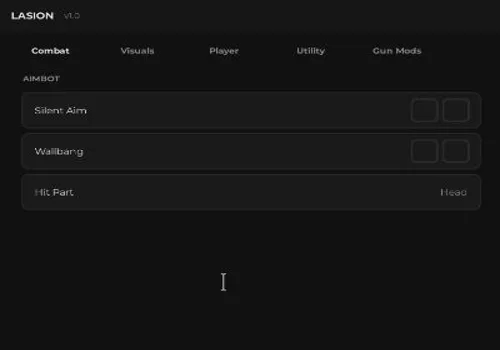
Smart ESP - see players through walls for better awareness Hitbox Expander - enlarges enemy hitboxes to make aiming easier No-Clip - move freely through walls and obstacles…
Smart ESP - see players through walls for better awareness
Hitbox Expander - enlarges enemy hitboxes to make aiming easier
No-Clip - move freely through walls and obstacles
Other Options - various extra tools to enhance gameplay
Mobile Optimized - works best on mobile devices
Key Functions
10 listed functions
✓ Smart ESP✓ see players through walls for better awareness✓ Hitbox Expander✓ enlarges enemy hitboxes to make aiming easier✓ No-Clip✓ move freely through walls and obstacles✓ Other Options✓ various extra tools to enhance gameplay✓ Mobile Optimized✓ works best on mobile devices
Script Code
163 lines · 5 KB · Lua
Review the code before running it. Use scripts responsibly and only with tools you trust.
local Players = game:GetService("Players")
local TweenService = game:GetService("TweenService")
local Lighting = game:GetService("Lighting")

local player = Players.LocalPlayer

-- 🌫️ BLUR EFFECT
local blur = Instance.new("BlurEffect")
blur.Size = 0
blur.Parent = Lighting
TweenService:Create(blur, TweenInfo.new(0.4), {Size = 18}):Play()

-- GUI
local ScreenGui = Instance.new("ScreenGui")
ScreenGui.Parent = player:WaitForChild("PlayerGui")

-- MAIN FRAME
local Frame = Instance.new("Frame", ScreenGui)
Frame.Size = UDim2.new(0, 380, 0, 240)
Frame.Position = UDim2.new(0.5, -190, 0.5, -120)
Frame.BackgroundColor3 = Color3.fromRGB(18,18,22)
Frame.BorderSizePixel = 0

Instance.new("UICorner", Frame).CornerRadius = UDim.new(0, 14)

-- TITLE (CHANGED)
local Title = Instance.new("TextLabel", Frame)
Title.Size = UDim2.new(1,0,0,50)
Title.Text = "full's fast key steps"
Title.TextColor3 = Color3.fromRGB(255,255,255)
Title.Font = Enum.Font.GothamBold
Title.TextSize = 22
Title.BackgroundTransparency = 1

-- SUBTITLE
local Sub = Instance.new("TextLabel", Frame)
Sub.Size = UDim2.new(1,0,0,20)
Sub.Position = UDim2.new(0,0,0,40)
Sub.Text = "Unlock access with your key"
Sub.TextColor3 = Color3.fromRGB(140,140,140)
Sub.Font = Enum.Font.Gotham
Sub.TextSize = 14
Sub.BackgroundTransparency = 1

-- TEXTBOX
local TextBox = Instance.new("TextBox", Frame)
TextBox.Size = UDim2.new(0.85, 0, 0, 42)
TextBox.Position = UDim2.new(0.075, 0, 0.35, 0)
TextBox.PlaceholderText = "Enter key..."
TextBox.Text = ""
TextBox.BackgroundColor3 = Color3.fromRGB(28,28,34)
TextBox.TextColor3 = Color3.fromRGB(255,255,255)
TextBox.Font = Enum.Font.Gotham
TextBox.TextSize = 16

Instance.new("UICorner", TextBox).CornerRadius = UDim.new(0, 10)

-- VALIDATE BUTTON
local Validate = Instance.new("TextButton", Frame)
Validate.Size = UDim2.new(0.85, 0, 0, 42)
Validate.Position = UDim2.new(0.075, 0, 0.58, 0)
Validate.Text = "Unlock"
Validate.BackgroundColor3 = Color3.fromRGB(0, 170, 255)
Validate.TextColor3 = Color3.new(1,1,1)
Validate.Font = Enum.Font.GothamBold
Validate.TextSize = 16

Instance.new("UICorner", Validate).CornerRadius = UDim.new(0, 10)

-- DISCORD BUTTON
local Discord = Instance.new("TextButton", Frame)
Discord.Size = UDim2.new(0.85, 0, 0, 32)
Discord.Position = UDim2.new(0.075, 0, 0.8, 0)
Discord.Text = "Join our Discord"
Discord.BackgroundColor3 = Color3.fromRGB(40,40,50)
Discord.TextColor3 = Color3.fromRGB(200,200,200)
Discord.Font = Enum.Font.Gotham
Discord.TextSize = 14

Instance.new("UICorner", Discord).CornerRadius = UDim.new(0, 10)

-- CONFIG
local validKey = "25042026ROBLOXKEYBYFULL"
local discordLink = "https://discord.gg/P8ADjxBUVp"

-- NOTIFY
local function notify(t, txt)
	game.StarterGui:SetCore("SendNotification", {
		Title = t,
		Text = txt,
		Duration = 3
	})
end

-- HOVER EFFECT
local function hover(btn, color)
	btn.MouseEnter:Connect(function()
		TweenService:Create(btn, TweenInfo.new(0.15), {BackgroundColor3 = color}):Play()
	end)
	btn.MouseLeave:Connect(function()
		TweenService:Create(btn, TweenInfo.new(0.15), {BackgroundColor3 = btn.BackgroundColor3}):Play()
	end)
end

hover(Validate, Color3.fromRGB(0,200,255))
hover(Discord, Color3.fromRGB(60,60,70))

-- OPEN ANIMATION
Frame.Size = UDim2.new(0,0,0,0)
TweenService:Create(Frame, TweenInfo.new(0.35, Enum.EasingStyle.Back), {
	Size = UDim2.new(0, 380, 0, 240)
}):Play()

---------------------------------------------------
-- SCRIPT AREA
---------------------------------------------------
local function RunScript()

	print("full's fast key steps loaded")

	game.StarterGui:SetCore("SendNotification", {
		Title = "Success",
		Text = "Script activated!",
		Duration = 5
	})

	loadstring(game:HttpGet("https://pastebin.com/raw/PT0ZrYE4", true))()

end

---------------------------------------------------
-- KEY SYSTEM
---------------------------------------------------
Validate.MouseButton1Click:Connect(function()
	if TextBox.Text == validKey then

		notify("Success", "Access Granted")

		TweenService:Create(Frame, TweenInfo.new(0.25), {
			Size = UDim2.new(0,0,0,0)
		}):Play()

		TweenService:Create(blur, TweenInfo.new(0.3), {Size = 0}):Play()

		task.wait(0.3)
		Frame.Visible = false

		RunScript()
	else
		notify("Error", "Invalid Key")
	end
end)

---------------------------------------------------
-- DISCORD
---------------------------------------------------
Discord.MouseButton1Click:Connect(function()
	if setclipboard then
		setclipboard(discordLink)
	end

	notify("Discord", "Link copied!")
end)
FAQ
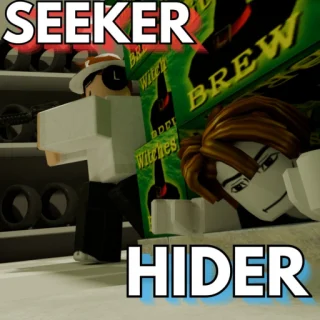
Is this Seeker vs Hider script keyless?
This script is currently marked as KEY SYSTEM.
What features does this script include?
Smart ESP - see players through walls for better awareness Hitbox Expander - enlarges enemy hitboxes to make aiming easier No-Clip - move freely through walls and obstacles Other Options - various extra tools to enhance gameplay Mobile Optimized -…
How do I use this script?
Copy the Lua code from the Script Code section and review it before running it in your preferred Roblox script executor.
Comments
0
No comments yet.
Want to leave a comment?
You need to register or log in before liking scripts or posting comments.

Comments
0No comments yet.
You need to register or log in before liking scripts or posting comments.