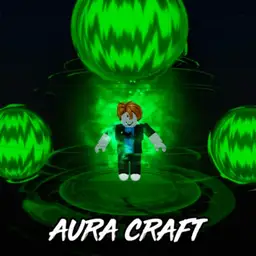
 Aura CraftNO KEY
Aura Craft Script – Get All Auras & Craft Hints

187Views
147Copies
NeverUpdated
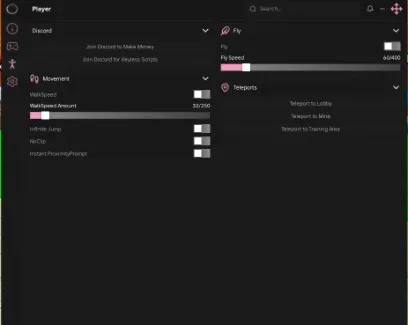
Aura CraftNO KEYThis Aura Craft script by Kaito Hub focuses on two parts of the collection process: unlocking available auras and showing hints for crafting recipes.
Aura Craft works like a combination game. You start with basic elements and mix two existing auras to discover a new one. Those results can then become ingredients for more complex recipes, creating a large chain of possible combinations. The game currently advertises more than 200 unique auras, while community recipe lists document hundreds of combinations.
The script is useful when you want to explore the full aura collection without repeatedly testing random pairs.
Get All Auras attempts to unlock or register the available aura entries without requiring you to discover every recipe manually.
Normally, completing the collection means combining many basic and advanced elements in the correct order. Some recipes also depend on auras created through earlier combinations, so one missing ingredient can block several later discoveries.
This function can help when you want to:
fill unfinished aura entries;
access advanced combinations sooner;
avoid repeating known recipes;
view more aura effects;
test which auras are available in the current game version.
The function should not be described as creating new auras that do not exist in Aura Craft. It only targets entries already supported by the game or the current script version.
Hint for Crafts helps identify the ingredients required for an aura recipe.
Instead of combining random elements until something works, you can use the hint to understand which two auras should be placed together. This is especially helpful after the basic recipes are complete and the remaining combinations require less obvious ingredients.
For example, a useful hint can tell you:
which two existing auras create the missing result;
whether you still need to unlock one of the ingredients;
which earlier recipe should be completed first;
why the current combination produces nothing.
Aura Craft also has a paid hint option in its Robux shop, where individual hints can be purchased. A script-provided recipe hint should not be presented as ownership of a paid gamepass or official shop purchase.
Use Get All Auras when your main goal is opening the collection quickly and checking the available aura effects.
Use Hint for Crafts when you still want to combine elements yourself but need help with a missing recipe.
The hint option is better for players who want to understand the crafting chain. Get All Auras is the faster option for players who mainly want the completed collection.
Permanent saving cannot be guaranteed without checking how the current version communicates with the game server.
The results may depend on whether Aura Craft stores the unlocked entries on the server or whether the script only changes what appears on your client. Auras may disappear after leaving if the game does not save the changes.
Possible outcomes include:
the auras remain saved after rejoining;
the collection appears complete only in the current server;
some normal auras unlock while paid or special entries remain unavailable;
the visual aura appears, but the album entry does not save.
Test one unlocked aura, rejoin the game, and check whether it remains in your collection before describing the function as permanent.
Open Aura Craft and wait for your aura collection and crafting area to load.
Copy the Kaito Hub code from the script block.
Open a compatible Roblox executor.
Paste the code into the executor and press Execute.
Enable Hint for Crafts if you want help with individual recipes.
Select the missing aura or recipe where the script allows it.
Use Get All Auras if you want the script to process the available collection.
Open the aura menu and check which entries were added.
Rejoin the game once to see whether the unlocked auras were saved.
Run the script only once per server. Repeated execution may send the same unlock requests several times or create duplicate interface elements.
Kaito Hub may need an update when Aura Craft adds new recipes or changes its aura storage and crafting systems.
Possible signs of an outdated version include:
recently added auras remain locked;
hints show an old or incorrect recipe;
the aura appears but is missing from the collection;
Get All Auras stops before completing the list;
unlocked entries disappear immediately;
the script menu loads without responding.
Using third-party scripts and Roblox executors may violate Roblox rules and can lead to account penalties. Never enter your Roblox password, account cookies, or payment details into a script, executor, or external hint page.
This script loads code from an external source. Review the URL and understand what it does before running it in Roblox.
https://raw.githubusercontent.com/Kaitofyp/Aura-Craft-V.1/main/Op%20script
1loadstring(game:HttpGet("https://raw.githubusercontent.com/Kaitofyp/Aura-Craft-V.1/main/Op%20script"))()by Big Banana Games! · 1 script · 187 views
Browse
Script Types
Tools
Community
Comments
Loading comments…