 BackroomsNO KEY
BACKROOMS OP SCRIPT - (Besto)
369Views
242Copies
NeverUpdated
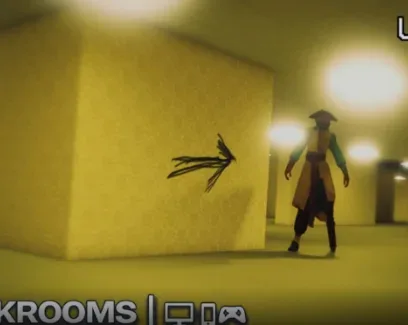
BackroomsNO KEYKeyless combat and navigation utility for Backrooms. This script features strict color-coded ESP, smart aimlock, and specific performance optimizations to prevent lag on heavy maps.
Visuals and Detection
Color-Coded ESP: Highlights monsters in red, players in blue, exits in green, and items in orange.
Killer Detection: Automatically identifies players transformed into monsters by reading their tags and team metadata.
Fullbright and Antifog: Clears map darkness and fog by adjusting ambient lighting for maximum visibility.
Show Tracers: Draws 2D lines from the bottom center of the screen directly to target entities.
Combat and Survival
Smart Aimlock: Automatically snaps the camera to the nearest monster within a customizable distance range.
Expand Head Hitbox: Enlarges entity collision zones to make landing hits significantly easier.
God Mode and Anti Ragdoll: Continuously restores health and prevents the character from being knocked down.
Navigation and Utility
Noclip, Infinite Jump, and Click Teleport for unrestricted movement.
Auto Interact and Zoom Bypass for seamless map traversal.
Character Protection System: Automatically reapplies your speed and jump settings when you respawn.
Performance and UI
Throttle Jitter Scanning: Scans workspace descendants in batches to prevent frame drops and game freezes on heavy maps.
Weak Tables: Prevents memory leaks by allowing garbage collection to clean up deleted objects.
Modern Tab UI: Includes a floating toggle button, animated intro, and sound effects.
The WalkSpeed and JumpPower sliders do not work in this version. While the script provides Infinite Jump and Noclip for navigation, you cannot manually adjust your base running speed or jump height via the UI.
Performance-Aware Design: Backrooms maps cause massive executor lag. The built-in jitter scanning and weak tables specifically target memory leaks and frame drops, making it more stable than standard ESP hubs.
Visual Clarity: The strict color-coding system allows for instant threat and exit identification without reading tiny text.
Zero Friction: Completely keyless. No Discord verification or link-shorteners required.
Launch the Backrooms game on Roblox.
Open your PC or mobile executor.
Inject the executor and paste the script.
Execute the script and use the floating toggle to open the UI.
Enable your desired ESP colors and combat features.
Why are the WalkSpeed and JumpPower sliders not working?
The developer has currently disabled these specific sliders. You must rely on the Infinite Jump and Noclip features for movement, as manual speed and height adjustment is unavailable in this build.
How does the performance optimization actually help in Backrooms?
Backrooms games have heavy geometry. The Throttle Jitter Scanning processes map objects in batches rather than all at once, and Weak Tables allow the garbage collector to clean up deleted objects. This prevents the executor from freezing or crashing during long sessions.
Can I tell if a player is the monster?
Yes. The Player to Monster Detection automatically identifies players transformed into killers by reading their tags and team metadata, highlighting them distinctly from normal players.
Is there a key system?
No. This script is completely keyless and executes immediately without any verification steps.
This script loads code from an external source. Review the URL and understand what it does before running it in Roblox.
1loadstring(game:HttpGet("https://pastebin.com/raw/L4ZCNSuG"))()by Red Panda Industries · 1 script · 369 views




Browse
Script Types
Tools
Community
Comments
Loading comments…