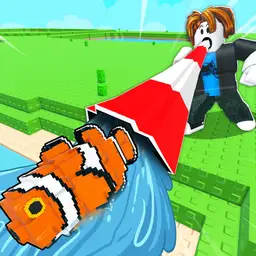
Sip, Catch and Upgrade Automatically 🥤🐟
Ouroboros Hub automates the full sipping loop: charge perfectly, catch fish instantly, switch lakes when empty, and sell before storage fills. Filter favorites by weight, rarity, or mutation, then handle quests, chests, crafting, forging, shops, zones, and upgrades automatically.
Its mobile-friendly UI also includes teleports, Fly, No Clip, and faster movement. The game normally requires charging a straw, catching fish, selling them for upgrades, using bait, completing NPC tasks, and exploring new areas.
FAQ
How do I use the Lake Sipping script?
Join Lake Sipping.
Open a compatible Roblox executor.
Paste the Ouroboros Hub script.
Press Execute.
Select your preferred area, fish filters, bait, and selling percentage.
Enable Auto Sip and any additional automation features.
Does Ouroboros Hub require a key?
No. This version is keyless, so no key system should be required.
What do Auto Sip and Perfect Charge do?
Auto Sip repeatedly starts the lake-sipping action. Perfect Charge releases the straw at the desired charge point, while Instant Catch completes the fish-catching interaction immediately.
How does Auto Swap Lake When Empty work?
The hub can move to another available lake after the current one has been drained, reducing downtime between catches.
How can I keep valuable fish?
Enable Auto Favorite Fish, then configure:
Minimum fish weight
Desired rarities
Desired mutations
Matching fish should be marked as favorites before automated selling.
How does Auto Sell work?
Set the inventory percentage at which selling should begin, then enable Auto Sell When Full. You can also use Sell All Now for an immediate sale.
Can it automate progression?
Yes. The hub includes automation for quests, achievements, daily rewards, album rewards, crafting, forging, recipe unlocks, zone unlocks, class rolls, equipment upgrades, codes, chests, and several shops.
Is the script mobile friendly?
Yes. It is tagged as mobile friendly, although you still need a Roblox executor that supports your mobile device and the script’s interface.
What are the teleport and movement features for?
Teleports can move you to selected areas, teleporters, or cannons. Fly, No Clip, Infinite Jump, and Walk Speed can make exploration and world-object interactions faster.
Comments · …
Loading comments…