Keyless, mobile-friendly combat utility for shooter games. This script focuses on lightweight ESP management and safe combat automation, specifically designed to prevent executor lag and obvious detection.
What This Script Does
Combat and Targeting
Silent Aim and Triggerbot: Automates shot accuracy and firing without manually snapping the camera, keeping gameplay looking natural.
Safety Checks: Team Check and Visible Check ensure the script only targets valid, line-of-sight enemies, preventing accidental friendly fire and reducing admin detection.
ESP and Performance Management
ESP Controls: Enable, toggle, and manage entity highlighting.
Max Render Distance: Limits how far the ESP draws entities. This is critical for preventing memory bloat and FPS drops on mobile devices.
Refresh and Clear ESP: Manually clears cached entity data to fix visual glitches and free up executor memory during long sessions.
Why Choose This Script
Performance-Aware ESP: The Max Render Distance and Clear ESP functions specifically target the memory leaks that crash mobile executors, allowing for longer grinding sessions.
Safe Combat Logic: By filtering out non-visible players and teammates, the automation avoids the blatant behavior that gets standard aimbots flagged by server moderators.
Zero Friction Access: Completely keyless and natively mobile-friendly, requiring no Discord verification or PC-only executors.
How to Use
Launch your target shooter game on Roblox.
Open your PC or mobile executor.
Inject the executor and paste the script.
Execute the script and open the GUI.
Set your Max Render Distance to a reasonable number to maintain high FPS.
Enable Silent Aim, Team Check, and Visible Check for safe combat.
FAQ
Why are the Refresh and Clear ESP buttons necessary? Roblox executors often cache ESP data for entities that have left the server or despawned. Over time, this causes massive memory leaks and visual lag. Using Clear ESP flushes this cache, restoring your frame rate.
How do Team and Visible checks prevent bans? Standard aimbots shoot through walls and at allies, which is an immediate red flag for server admins and anti-cheat systems. These checks force the script to behave like a legitimate player who can only see and shoot what is actually in front of them.
What does Max Render Distance actually do for mobile users? Mobile devices have strict memory limits. If ESP tries to render every player on a massive map, the executor will crash. Max Render Distance restricts the ESP to only show players within a specific radius, drastically reducing CPU and memory usage.
Is there a key system or Discord verification required? No. This script is completely keyless. You can execute it directly on mobile or PC without interacting with any link-shorteners or verification pages.

 One TapNO KEY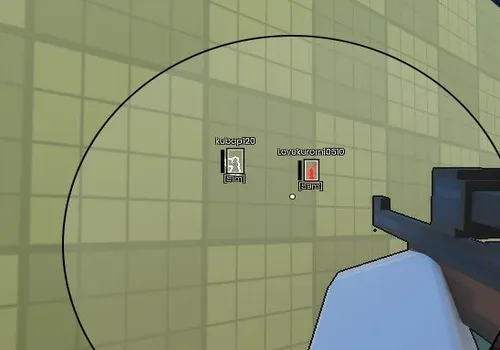






Comments
Loading comments…