Paint And SEEK script: ESP seekers
- Published by
bebraPublished by
Paint And SEEK! Script Description
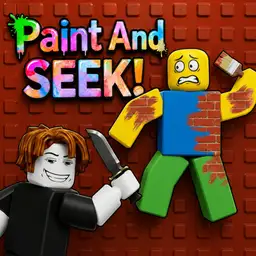
Paint And SEEK is about hiding in plain sight. Hiders paint themselves to match the map, blend into walls or objects, and try not to get caught before the timer ends. This script helps seekers find players more easily. ESP shows where other players are, so it becomes easier to spot hiders even when they use smart colors or hide in busy parts of the map. It is useful when the round has too many good hiding spots, or when players blend into floors, furniture, walls, and corners. Instead of checking every small detail by hand, ESP gives you a clearer idea of where to look. For seekers, this makes the game less about guessing and more about moving straight toward hidden players. It can also help new players understand common hiding spots faster.
Paint And SEEK! Script Functions
1 function- ESP
Paint And SEEK! Script Code
- Lines
- 223
- Size
- 6.72 KB
- Language
- Lua
Review before running. Use scripts responsibly.
1local Players = game:GetService("Players")2local UserInputService = game:GetService("UserInputService")3local RunService = game:GetService("RunService")4local Workspace = game:GetService("Workspace")56local LocalPlayer = Players.LocalPlayer7local Camera = Workspace.CurrentCamera89local ESPEnabled = false10local ESPConnection = nil11local Drawings = {}1213local Config = {14 MaxDistance = 1000,15 Key = Enum.KeyCode.R,16}1718-- ================== MAIN GUI (Toggle Button) ==================19local ScreenGui = Instance.new("ScreenGui")20ScreenGui.Name = "SimpleESP"21ScreenGui.ResetOnSpawn = false22ScreenGui.Parent = LocalPlayer:WaitForChild("PlayerGui")2324local ToggleButton = Instance.new("TextButton")25ToggleButton.Size = UDim2.new(0, 160, 0, 50)26ToggleButton.Position = UDim2.new(0, 20, 0, 20) -- Top left corner27ToggleButton.BackgroundColor3 = Color3.fromRGB(30, 30, 30)28ToggleButton.TextColor3 = Color3.fromRGB(255, 255, 255)29ToggleButton.Font = Enum.Font.GothamBold30ToggleButton.TextSize = 1831ToggleButton.Text = "ESP: OFF"32ToggleButton.Parent = ScreenGui3334local UICorner = Instance.new("UICorner")35UICorner.CornerRadius = UDim.new(0, 12)36UICorner.Parent = ToggleButton3738local UIStroke = Instance.new("UIStroke")39UIStroke.Thickness = 240UIStroke.Color = Color3.fromRGB(80, 80, 80)41UIStroke.Parent = ToggleButton42-- ============================================================4344local function GetTeamColor(player)45 if player.Team == LocalPlayer.Team then46 return Color3.fromRGB(0, 255, 100) -- Green47 else48 return Color3.fromRGB(255, 60, 60) -- Red49 end50end5152local function CreateESP(player)53 if player == LocalPlayer then return end5455 local color = GetTeamColor(player)5657 Drawings[player] = {58 box = Drawing.new("Square"),59 name = Drawing.new("Text"),60 healthBar = Drawing.new("Square"),61 healthFill = Drawing.new("Square"),62 tracer = Drawing.new("Line")63 }6465 local d = Drawings[player]66 67 d.box.Thickness = 268 d.box.Filled = false69 d.box.Color = color70 d.box.Transparency = 17172 d.name.Size = 1573 d.name.Center = true74 d.name.Outline = true75 d.name.Color = Color3.fromRGB(255, 255, 255)7677 d.healthBar.Color = Color3.fromRGB(0, 0, 0)78 d.healthBar.Transparency = 0.67980 d.healthFill.Color = Color3.fromRGB(0, 255, 80)8182 d.tracer.Thickness = 1.583 d.tracer.Color = color84 d.tracer.Transparency = 0.7585end8687local function UpdateESP()88 for player, d in pairs(Drawings) do89 if not player or not player.Character then90 d.box.Visible = false91 d.name.Visible = false92 d.healthBar.Visible = false93 d.healthFill.Visible = false94 d.tracer.Visible = false95 continue96 end9798 local char = player.Character99 local root = char:FindFirstChild("HumanoidRootPart")100 local head = char:FindFirstChild("Head")101 local hum = char:FindFirstChildOfClass("Humanoid")102103 if not root or not head or not hum or hum.Health <= 0 then104 d.box.Visible = false105 d.name.Visible = false106 d.healthBar.Visible = false107 d.healthFill.Visible = false108 d.tracer.Visible = false109 continue110 end111112 local distance = (Camera.CFrame.Position - root.Position).Magnitude113 if distance > Config.MaxDistance then114 d.box.Visible = false115 d.name.Visible = false116 d.healthBar.Visible = false117 d.healthFill.Visible = false118 d.tracer.Visible = false119 continue120 end121122 local top, onScreen = Camera:WorldToViewportPoint(head.Position + Vector3.new(0, 3, 0))123 local bottom = Camera:WorldToViewportPoint(root.Position - Vector3.new(0, 3, 0))124125 if not onScreen then126 d.box.Visible = false127 d.name.Visible = false128 d.healthBar.Visible = false129 d.healthFill.Visible = false130 d.tracer.Visible = false131 continue132 end133134 local height = math.abs(top.Y - bottom.Y)135 local width = height / 2.1136137 -- Box138 d.box.Size = Vector2.new(width, height)139 d.box.Position = Vector2.new(top.X - width/2, top.Y)140 d.box.Visible = true141142 -- Name + Distance143 d.name.Text = string.format("%s [%dm]", player.Name, math.floor(distance))144 d.name.Position = Vector2.new(top.X, top.Y - 22)145 d.name.Visible = true146147 -- Health Bar148 local hpRatio = hum.Health / hum.MaxHealth149 d.healthBar.Size = Vector2.new(5, height)150 d.healthBar.Position = Vector2.new(top.X - width/2 - 10, top.Y)151 d.healthBar.Visible = true152153 d.healthFill.Size = Vector2.new(5, height * hpRatio)154 d.healthFill.Position = Vector2.new(top.X - width/2 - 10, top.Y + (height * (1 - hpRatio)))155 d.healthFill.Visible = true156157 -- Tracer158 d.tracer.From = Vector2.new(Camera.ViewportSize.X / 2, Camera.ViewportSize.Y)159 d.tracer.To = Vector2.new(top.X, top.Y + height/2)160 d.tracer.Visible = true161 end162end163164local function ToggleESP()165 ESPEnabled = not ESPEnabled166 167 if ESPEnabled then168 ToggleButton.Text = "ESP: ON"169 ToggleButton.BackgroundColor3 = Color3.fromRGB(0, 170, 0)170 171 -- Create ESP for existing players172 for _, player in ipairs(Players:GetPlayers()) do173 CreateESP(player)174 end175 176 ESPConnection = RunService.RenderStepped:Connect(UpdateESP)177 else178 ToggleButton.Text = "ESP: OFF"179 ToggleButton.BackgroundColor3 = Color3.fromRGB(170, 0, 0)180 181 if ESPConnection then182 ESPConnection:Disconnect()183 ESPConnection = nil184 end185 186 for _, d in pairs(Drawings) do187 for _, drawing in pairs(d) do188 drawing:Remove()189 end190 end191 Drawings = {}192 end193end194195-- ================== INPUTS ==================196ToggleButton.MouseButton1Click:Connect(ToggleESP)197198UserInputService.InputBegan:Connect(function(input, gp)199 if gp then return end200 if input.KeyCode == Config.Key then201 ToggleESP()202 end203end)204205-- Auto create ESP when new player joins206Players.PlayerAdded:Connect(function(player)207 if ESPEnabled then208 CreateESP(player)209 end210end)211212-- Cleanup on death213LocalPlayer.CharacterAdded:Connect(function()214 task.wait(1)215 if ESPEnabled then216 for _, d in pairs(Drawings) do217 for _, drawing in pairs(d) do drawing:Remove() end218 end219 Drawings = {}220 end221end)222223print("Press R or click the button to toggle")Paint And SEEK! Change Log
1 entriesPublishedbebra Script published
Paint And SEEK! Comments
…