BobloScript.com
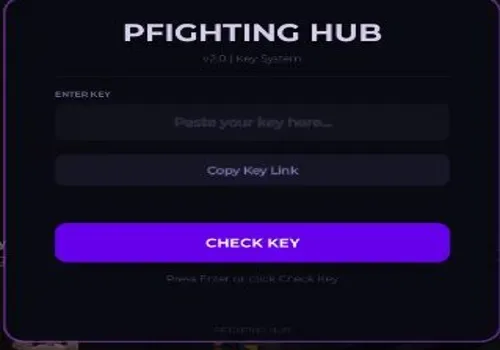
PHIGHTING!KEY SYSTEM

Phighting script: Aim Assist, ESP

Published by bebraPublished May 5
Open in Roblox
73Views
11Copies
NeverUpdated

Description

Combat Tab Aim Assist – Toggle automatic aiming on or off FOV Mode – Choose between Camera or Mouse based field of view Aim Key – Set which key activates aim assist (default Right Click, rebindable) FOV Radius – Adjust aim assist field of view from 10 to 500 Smoothness – Set aim transition smoothness from 1 to 20 Target Part – Select Head, HumanoidRootPart, or UpperTorso as aim target Show FOV Circle – Toggle visual field of view ring on screen Aimbot Mode – Switch between Legit or Ra...

Functions

68 functions
  • Combat Tab
  • Aim AssistToggle automatic aiming on or off
  • FOV ModeChoose between Camera or Mouse based field of view
  • Aim KeySet which key activates aim assist (default Right Click, rebindable)
  • FOV RadiusAdjust aim assist field of view from 10 to 500
  • SmoothnessSet aim transition smoothness from 1 to 20
  • Target PartSelect Head, HumanoidRootPart, or UpperTorso as aim target
  • Show FOV CircleToggle visual field of view ring on screen
  • Aimbot ModeSwitch between Legit or Rage mode (Rage currently bugged)
  • Sticky AimLocks aim onto target once acquired
  • Aim PredictionPredicts enemy movement for more accurate shots
  • Aim ShakeAdds visual shake effect from 0 to 10
  • Exploits Tab
  • Extend Hit RangeEnlarges enemy hitboxes for easier hits
  • Range MultiplierAdjust hitbox size multiplier from 2 to 8
  • Hitbox TransparencySet hitbox visibility from 0 to 100 percent
  • NoclipWalk freely through walls and obstacles
  • Infinite JumpAllows unlimited consecutive jumps
  • Speed BoostIncrease movement speed from 1 to 5 times normal
  • Jump BoostIncrease jump height from 1 to 5 times normal
  • Refresh CharacterButton to respawn refresh your character
  • Reset CharacterButton to fully reset your character
  • Spawn JumpButton to perform a spawn jump
  • Teleport to Nearest EnemyButton to instantly move to closest enemy (keybind: T)
  • Visuals Tab
  • Team CheckToggle team filtering for all visual features
  • ESP HighlightToggle glow highlights through walls
  • ESP NamesToggle player name display through walls
  • ESP DistanceToggle distance display through walls
  • ESP HealthToggle health bar display through walls
  • Enemy LabelToggle enemy identification label
  • Weapon ESPToggle weapon highlight through walls
  • ESP RainbowToggle rainbow cycling colors for ESP
  • ESP OpacityAdjust ESP transparency from 0 to 100
  • TracersToggle line from camera to target
  • Tracer OriginSet tracer start point at Bottom or Center of screen
  • Box ESPToggle bounding box around players
  • Box StyleSwitch between Corners or Full box
  • Off-screen IndicatorsShow arrows pointing to enemies off screen
  • Set Player ColorChoose custom color for player ESP
  • Set Team ColorChoose custom color for team ESP
  • Hitbox ViewerToggle wireframe overlay showing hitboxes
  • FullbrightToggle maximum brightness, removes shadows
  • No FogToggle removal of environmental fog
  • Night ModeToggle dark visual filter
  • No ParticlesToggle removal of particle effects
  • CrosshairToggle custom crosshair display
  • Stats Tab
  • Session StatsDisplay kills, deaths, KDR, FPS, ping, and session time
  • Reset StatsButton to reset current session statistics
  • Interface Tab
  • ThemeChoose from 10 themes (Midnight, Cyberpunk, Ocean, Emerald, Sunset, Frost, Blood, Neon, Sakura, Void)
  • Rainbow AccentToggle rainbow color cycling for UI elements
  • Rainbow SpeedAdjust rainbow animation speed from 1 to 10
  • Compact ModeReduce UI element size for smaller footprint
  • Show Array ListToggle display of active features list
  • Array ShimmerToggle shimmer effect on feature list
  • Config Tab
  • ProfilesSave, load, delete, or reset named configuration profiles
  • Profile listScroll through saved profiles
  • Keybinds InfoDisplay all available keybinds
  • Exit HubButton that saves profiles and cleans up script
  • System
  • Auto-save on exitProfiles automatically persist per Roblox username
  • Old profile migrationAutomatically detects and converts old generic profiles
  • Command barPress ; key for commands like /noclip, /fullbright, /hitrange
  • MinimizePress Right Control to minimize hub
  • Show/Hide HubPress K key to toggle hub visibility

Script Code

Raw Code

This script loads code from an external source. Review the URL and understand what it does before running it in Roblox.

https://raw.githubusercontent.com/god124/PFIGHTING/refs/heads/main/.OP
loadstring(game:HttpGet("https://raw.githubusercontent.com/god124/PFIGHTING/refs/heads/main/.OP"))()

Comments

Loading comments…