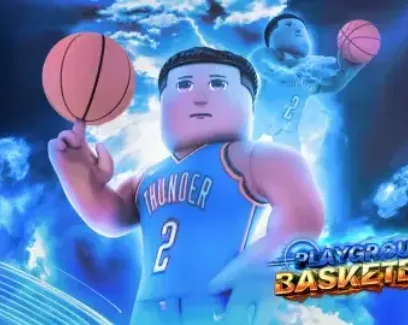
 Playground Basketball🏀NO KEY
Playground Basketball script - (Auto Green)
75Views
54Copies
NeverUpdated
Playground Basketball🏀NO KEYThis open-source Playground Basketball script by l10scripts focuses on one function: automatically releasing the ball for you.
Playground Basketball is a competitive street basketball game built around shooting timing, movement, passing, and reading the defense. Because the game uses skill-based mechanics and realistic ball physics, releasing a shot too early or too late can turn a good scoring chance into a miss.
When you begin a shot, Auto Green waits for the intended release moment and lets go of the ball automatically.
The script does not take the shot by itself. You still decide:
where to stand;
when to start shooting;
whether the shot is open;
whether passing is a better choice;
which type of shot to attempt.
Its job begins after you start the shooting action. It handles the release timing so you do not have to manually let go at the exact moment.
Shot timing can become harder when your connection is unstable, the match is moving quickly, or a defender forces you to make a fast decision.
Auto Green removes one repeated input from the shooting process. This can be useful when:
you often release slightly early or late;
you struggle to watch the meter while moving;
you want more consistent timing during open shots;
input delay makes manual releases feel different between matches.
The script is focused only on release timing. It does not include Aimbot, Auto Dunk, Auto Guard, Ball Magnet, Infinite Stamina, or automatic movement.
A green release improves timing, but timing is not the only part of a shot.
The result may still depend on:
your distance from the hoop;
the type of shot animation;
whether a defender contests the attempt;
your character build or attributes;
server latency;
changes made by a game update.
The script will not create an open shot when a defender is already blocking you. It also will not correct a bad position or automatically move the ball toward the basket.
Use Auto Green for the release itself, not as a replacement for choosing a sensible shot.
The script code can be inspected because it is open source.
This makes it easier to see that the script is intended to control the ball-release action instead of hiding a large collection of unrelated functions. Developers can also study or adjust the release logic when Playground Basketball changes its shooting system.
Open source does not guarantee permanent safety or compatibility. Review the exact version you are running, especially if it downloads additional code from another URL.
Open Playground Basketball and enter a court or match.
Wait until your character and the shooting system have loaded.
Copy the l10scripts code from the script block.
Run it once using a compatible script environment.
Get possession of the ball and start a normal shot.
Continue holding the shooting input until the script releases the ball.
Test it first with an open shot close to the basket before trying longer or contested attempts.
Do not repeatedly execute the code during the same match. Multiple active release connections may interfere with each other and cause the ball to release too early.
The script may need an update if Playground Basketball changes the event used for shooting, the release meter, ball ownership, or character animations.
Common signs of an outdated version include:
the ball never releases;
the shot releases immediately;
Auto Green works only once;
the function activates when another player has the ball;
the timing becomes inconsistent after teleporting to a new court.
Rejoin the game and test the script once. If the same issue continues, the release method likely needs to be updated by l10scripts.
1local UIS = game:GetService("UserInputService")23local Holding = false4local Power = 05local MaxPower = 10067UIS.InputBegan:Connect(function(Input, GPE)8 if GPE then return end910 if Input.UserInputType == Enum.UserInputType.MouseButton1 then11 Holding = true1213 while Holding do14 task.wait(0.02)1516 Power += 21718 if Power >= MaxPower then19 Power = 020 end2122 print("Shot Power:", Power)23 end24 end25end)2627UIS.InputEnded:Connect(function(Input)28 if Input.UserInputType == Enum.UserInputType.MouseButton1 then29 Holding = false3031 local GreenStart = 4832 local GreenEnd = 523334 if Power >= GreenStart and Power <= GreenEnd then35 print("GREEN!")36 -- Guaranteed make logic37 else38 print("MISS")39 end4041 Power = 042 end43end)by Playground Basketball | Community · 1 script · 75 views


Browse
Script Types
Tools
Community
Comments
Loading comments…