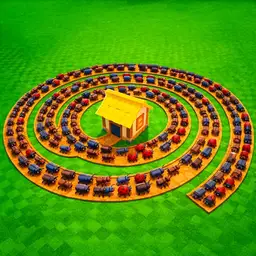
Build an automatic defense around the bug path with Auto Place Turrets Near Path, then use Kill Aura to clear enemies that pass through the turret line. Purchased crates provide swords for this manual part of the game, while the placement and replacement tools keep your plot ready for stronger waves.
Purchases and Placement
Choose which turrets, blocks, and crates should be purchased through their matching selection menus. Turret Placement Selection controls which turret is placed near the path, while the placement delay and Turret Rotation Adjustment change how the layout is built.
Kill Aura
Set the attack area with Kill Aura Range Adjustment and Plot Range Adjustment. Kill Aura Delay Adjustment controls how often nearby bugs are attacked.
Turret Replacement
Auto Replace Turrets updates existing defenses using a selected target turret, replacement turret, and comparison rule. Turret Replacement Delay Adjustment sets the pause between replacement checks.





Comments
Loading comments…