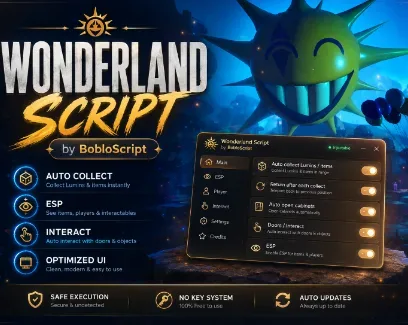

 Showcase
367Views
319Copies
TodayUpdated
Collect Lumins, locate useful items, and keep track of your run without searching every dark room yourself. Auto Collect Lumins and Items scans the active area, moves your character into interaction range, collects each supported target, and continues searching. Enable Return After Each Collection to return to your previous position after every attempt instead of being left beside the last object.
Automation Status Tracker keeps the process clear by showing the current automation state, interaction attempts, and remaining lives while the collection loop is running.
Auto Collect Lumins and Items finds both Lumins and supported collectible items.
Auto Open Cabinets searches for available cabinets, moves into range, and opens them.
Auto Interact with Doors handles supported doors and passages during exploration.
Return After Each Collection keeps your original route and position between collection attempts.
These options work together to reduce repeated searching and manual interaction. You can follow the story normally while the script handles nearby objectives and objects that are easy to miss.
Outline ESP adds outlines and name tags that remain visible through walls. Each target type has its own color, making crowded rooms easier to read at a glance.
Target | ESP color | What it helps you find |
|---|---|---|
Players | Blue | Teammates and their names |
Lumins and items | Green | Supported collectibles |
Cabinets | Yellow | Cabinets available around the map |
Doors | Orange | Doors and passages |
NPCs | Red | Named non-player characters |
Revive booths | Purple | Locations used for reviving |
Turn on only the categories you need. For example, combine Lumin and Collectible ESP with automatic collection, or use Cabinet ESP and Door ESP while exploring manually.
Use Walk Speed Adjustment and Jump Power Adjustment to set custom movement values. Apply Custom Speed and Jump continuously restores those selected values while enabled, so they do not need to be applied again after every change.
Refresh Lives Tracker updates the displayed current and maximum lives. When a run goes wrong, Revive Booth ESP can reveal the revive location through walls.
Designed for Wonderland: the automation and ESP filters target the game’s own Lumins, cabinets, doors, NPCs, collectibles, and revive booths instead of using a generic universal object scanner.
This script loads code from an external source. Review the URL and understand what it does before running it in Roblox.
https://raw.githubusercontent.com/bobloscript/scripts/refs/heads/main/Wonderland





Comments
Loading comments…