Browse
Script Types
Tools
Community
Reach players with keyless, universal, or place-specific scripts.
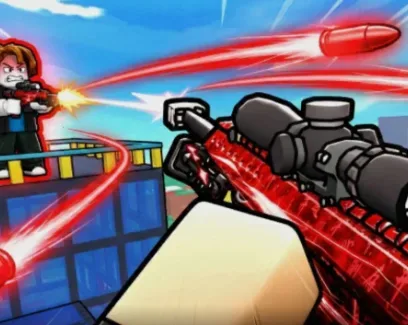
 HypershotNO KEY
Keyless, single-purpose combat script for shooter games. Hypershot focuses entirely on Silent Aim functionality without the bloat of unnecessary movement or visual features, providing a lightweight and reliable combat advantage.
Combat Automation
Silent Aim: Automatically adjusts bullet trajectory to hit the target even if your crosshair is not directly on them. Unlike traditional aimbots, it does not visibly snap your camera to the enemy, making your gameplay look much more natural.
Zero Bloat: Most combat scripts are overloaded with ESP, fly, and speed hacks that consume memory and cause executor lag. Hypershot does one thing and does it well, ensuring maximum performance and stability during intense firefights.
Stealth Advantage: Because Silent Aim does not alter your camera movement, it is significantly harder for other players to detect compared to standard aimbots that visibly lock onto targets.
Zero Friction Access: Completely keyless. No Discord verification or link-shorteners required to execute.
This script only provides Silent Aim.
Decision Impact: If you are looking for a comprehensive hub with ESP, wallhacks, fly, or speed hacks, this is not the right tool. It is designed specifically for players who already have a separate movement/visual script and just need a reliable, lightweight combat module.
Launch your target shooter game on Roblox.
Open your PC or mobile executor.
Inject the executor and paste the Hypershot script.
Execute the script.
The Silent Aim feature will activate automatically or via a simple toggle in the minimal GUI.
How is Silent Aim different from a normal Aimbot?
A normal aimbot physically moves your camera or crosshair to lock onto the enemy, which is highly visible to other players. Silent Aim leaves your camera completely free; the script only manipulates the bullet's server-side trajectory to ensure it hits the target.
Will this script cause lag during combat?
Because it lacks the heavy visual overlays and physics calculations found in multi-feature hubs, Hypershot uses minimal memory. This prevents the frame drops and executor crashes common with bloated scripts.
Can I adjust the Silent Aim settings?
The script is designed for immediate, plug-and-play reliability. It handles the trajectory calculations automatically to ensure consistent hits without requiring complex manual configuration.
Is there a key system or Discord verification required?
No. This script is completely keyless. You can execute it directly without interacting with any link-shorteners, Discord servers, or verification pages.
1warn("Start !!")2-- // --3local Plrs = game:GetService("Players")4local LclPlr = Plrs.LocalPlayer5local Cam = workspace.CurrentCamera6local Mse = LclPlr:GetMouse()7local GameUiMod = require(LclPlr.PlayerGui.GameUI.GameUIMod)8local GlbStf = require(game:GetService("ReplicatedStorage").Modules.GlobalStuff)9local Old = GameUiMod.GetMousePos10-- // --11local function GetTgt()12 local Tgt13 local Dist = math.huge14 -- // --15 for _, Val in Plrs:GetPlayers() do16 if Val == LclPlr or not Val.Character then17 continue18 end19 -- // --20 local Chr = Val.Character21 local Hum = Chr:FindFirstChild("Humanoid")22 if Chr:FindFirstChild("Head") and Hum then23 if Hum.Health > 0 and not GlbStf:SameTeam(LclPlr, Val) then24 local Head = Chr.Head25 local Pos, OnScr = Cam:WorldToViewportPoint(Head.Position)26 -- // --27 if OnScr then28 local MseDist = (Vector2.new(Mse.X, Mse.Y) - Vector2.new(Pos.X, Pos.Y)).Magnitude29 if MseDist < Dist then30 Dist = MseDist31 Tgt = Head32 end33 end34 end35 end36 end37 -- // --38 local Mobs = workspace:FindFirstChild("Mobs")39 if Mobs then40 for _, Mob in Mobs:GetChildren() do41 local Hum = Mob:FindFirstChild("Humanoid")42 if Mob:FindFirstChild("Head") and Hum then43 if Hum.Health > 0 and not GlbStf:SameTeam(LclPlr, Mob) then44 local Head = Mob.Head45 local Pos, OnScr = Cam:WorldToViewportPoint(Head.Position)46 -- // --47 if OnScr then48 local MseDist = (Vector2.new(Mse.X, Mse.Y) - Vector2.new(Pos.X, Pos.Y)).Magnitude49 if MseDist < Dist then50 Dist = MseDist51 Tgt = Head52 end53 end54 end55 end56 end57 end58 -- // --59 return Tgt60end61-- // --62GameUiMod.GetMousePos = function(...)63 local Src = debug.info(3, "s")64 -- // --65 if Src:find("Auto") then66 local Tgt = GetTgt()67 -- // --68 if Tgt then69 -- print(Tgt)70 return Tgt.Position71 end72 end73 -- // --74 return Old(...)75end76-- // --77warn("Done !!")

Comments · …
Loading comments…