Trident Survival Script (Mon Hub) - Targeted AutoFarm and Advanced Visuals
Keyless automation for Trident Survival. This script focuses on specific resource farming (ores, stones, trees), combat modifiers, and deep UI customization with a full configuration save/load system. No key required.
What This Script Does
Targeted Automation
Auto Farm: Specifically targets and gathers Nitrate, Iron Ore, and Stone.
Tree Farm: Automates the collection of Birch, Fir, and Cactus.
Combat and Interaction Modifiers
Auto-Equip: Automatically switches to the optimal tool or weapon for the current task.
Reach, Smoothness, and Attack Delay: Fine-tune your interaction range and combat speed for faster gathering and fighting.
Dash: Adds a quick movement option for rapid traversal.
Visuals and Detection
X-Ray / Wallhack: See through terrain to locate resources and players.
Resource Tracers and Ore Outline: Highlights selected resources and ores directly in the 3D world, preventing missed nodes during farming.
Transparency: Adjusts visual clarity for better situational awareness.
Configuration and UI
Full Config System: Create, load, overwrite, and delete configurations. Set a specific config to autoload for instant setup upon execution.
Deep UI Customization: Adjust background, main, accent, outline, and font colors, along with font face and background images.
Why Choose This Script
Autoload Configuration System: Unlike basic scripts that reset every time you rejoin, the "Set as autoload" feature saves your exact farming and visual settings, applying them instantly on the next execution.
Resource-Specific Tracers: The combination of X-Ray, Ore Outline, and selected resource Tracers ensures you never miss high-value nodes like Nitrate or Iron Ore in complex terrain.
Zero Friction Access: Completely keyless. No Discord verification or link-shorteners required.
How to Use
Launch Trident Survival on Roblox.
Open your PC or mobile executor.
Inject the executor and paste the script.
Execute the script and open the GUI.
Select your target resources (e.g., Iron Ore or Birch) in the Auto Farm and Tree Farm sections.
(Optional) Configure your UI colors and set your preferred setup as "autoload" for future sessions.
FAQ
How does the Autoload config feature work?
Once you have your perfect Auto Farm and visual settings configured, click "Set as autoload". The script will save this state and automatically apply it the next time you execute the script, saving you from re-toggling features every session.
Will X-Ray and Wallhack cause lag?
Visual overlays like X-Ray and Ore Outlines can consume extra memory. If you experience frame drops, try disabling "Tracers" or adjusting the "Transparency" effects, as rendering lines to every resource is more demanding than simple wallhacks.
What do Reach and Attack Delay actually change?
"Reach" increases the distance at which you can interact with nodes or hit enemies. "Attack Delay" reduces the cooldown between swings or tool uses. Combined with "Smoothness", they make resource gathering and combat feel significantly faster and less restricted by default game limits.
Is there a key system or Discord verification required?
No. This script is completely keyless. You can execute it directly without interacting with any link-shorteners, Discord servers, or verification pages.
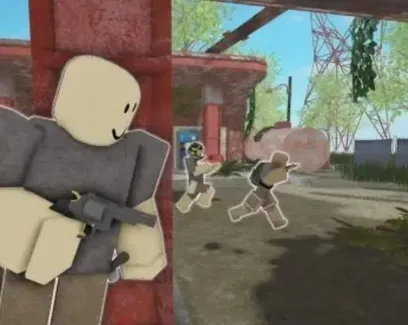
 Trident SurvivalNO KEY

 Discord
Comments · …
Loading comments…