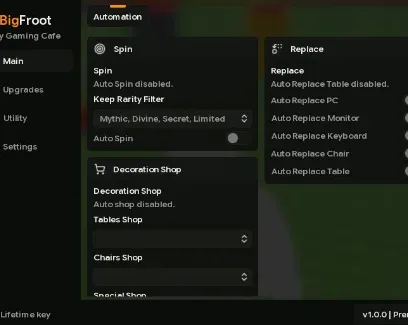
My Gaming Cafe is about unboxing PC parts, serving customers, arranging gaming stations, and unlocking new floors and upgrades. This advanced VXQ or BigFroot script automates spins, equipment replacement, shop purchases, part unlocks, and income upgrades. Rarity filters help protect selected spin rewards while your café continues progressing.
What do Auto Spin and Keep Rarity Filter do?
Auto Spin repeatedly uses available spin pads without requiring manual input. Keep Rarity Filter lets you choose which reward rarities should be kept, helping prevent valuable equipment from being replaced or discarded during repeated spins.
What equipment can the script manage?
The script can automatically replace major parts of a gaming station:
PCs
Monitors
Keyboards
Chairs
Tables
It also provides direct access to the Tables Shop, Chairs Shop, and Special Shop, plus an option to purchase desks automatically.
What can be unlocked automatically?
PCs
Monitors
Keyboards
Spin pads
These tools reduce the need to return to each unlock menu manually as more equipment becomes available.
Which upgrades can it purchase?
Auto Upgrade Spin Luck improves the chance of receiving stronger spin rewards. Cash Multiplier increases café earnings, while Luck Multiplier supports better item rolls. Equipment rarity and income are important when deciding which gaming parts are worth keeping.
What do the execution settings mean?
Auto Execute loads enabled features when the script starts
Hide UI on Execute closes or hides the interface after loading
Queue Auto Execute prepares the script to run again after teleporting or rejoining
Anti AFK helps prevent idle disconnections
How do I use the My Gaming Cafe script?
Open My Gaming Cafe in Roblox.
Launch a compatible Roblox executor.
Load the script provided by VXQ or BigFroot.
Complete the required key-system verification.
Execute the script and configure the rarity filter before enabling Auto Spin.
Select the equipment, unlock, shop, and upgrade options you need.
The script is mobile-friendly, but it uses a key system. Its advanced automation covers most repetitive equipment and upgrade management, although individual features may require updates when the game changes.
 Discord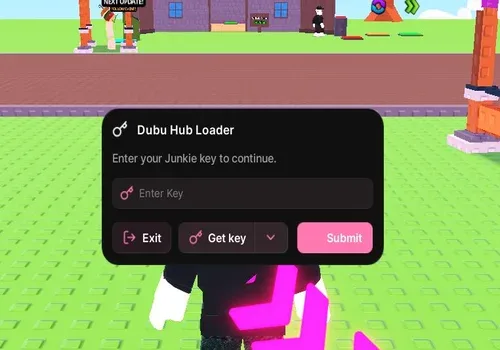


Comments
Loading comments…