
Throw Food For AnimalsNO KEY

Throw Food For AnimalsNO KEYTested by bebra · BobloScript editorial team · Nov 2, 2026
Test setup: PC and Android · Potassium (PC), Delta (Android)
All 17 listed features checked
No failures found.
Ran on PC with Potassium and on Android with Delta. The sell filters and both thresholds were respected across several batches, and the manual sell button cleared the pen on demand. Throws landed perfectly with no delay, training ran on its own with the double experience click, and auto equip kept swapping in stronger animals at the set interval. All three upgrade lines bought without intervention.
This reflects one test at a specific point in time, not an ongoing guarantee. How we test scripts
Everything here feeds one loop: throw, keep what is worth keeping, sell the rest, and put the money back into upgrades. The filters and the auto-equip are the two halves that decide what stays in your pen, so they are worth setting before anything else runs on its own.
Auto sell applies the mutation, rarity and species filters together, plus the two thresholds: an animal below the minimum CPS or below the minimum weight is sold regardless of how it matches the other rules. That means the thresholds are the safety net and the three filters are the preference — set the CPS and weight limits first if you want to avoid selling something good while you are still picking filters.
The manual sell entry runs the same rules once, on demand, so you can clear the pen without leaving auto sell on.
Filters are checked against each animal as it arrives, so changing them mid-session affects the next animals and not the ones already standing.
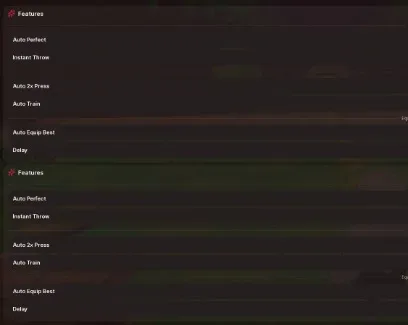
Perfect throws remove the accuracy problem and instant throws remove the travel delay, which together mean the throw itself stops being something you watch. Double training experience pairs with auto training: the click runs on its own and the training action repeats, so throw power climbs while you are doing something else. Leaving all four on is the intended setup.
Auto equip picks the strongest animals you own, and the interval sets how often it rechecks. A short interval keeps the loadout current while new animals arrive, but each swap is a moment where nothing is earning; a longer one is steadier and slower to react. Auto farm animals runs the collecting side on its own so the pen keeps filling while equipping keeps the best of it.
Food, bar and plot upgrades are bought automatically and independently. They pull from the same money pool, so leaving all three on means the script splits your income between them rather than pushing one line. If you would rather concentrate on one, turn the other two off and let the money go where you want it.
Set the CPS and weight thresholds, then the mutation, rarity and species filters.
Turn on auto sell and watch one batch go through before trusting it unattended.
Enable throws and training next, then auto equip with an interval you are happy with.
Switch the upgrade purchases on last, once you know which line you want funded.
Tested on PC with Potassium and on Android with Delta. The menu responds to touch on mobile, though setting several filters in a row is quicker with a keyboard.
Windows
Android
iOS
macOS
Windows
This script loads code from an external source. Review the URL and understand what it does before running it in Roblox.
https://raw.githubusercontent.com/ummarxfarooq/mystrix-hub/refs/heads/main/loader
1loadstring(game:HttpGet("https://raw.githubusercontent.com/ummarxfarooq/mystrix-hub/refs/heads/main/loader"))()by Goofy Chupacabra · 1 script · 30 views
Browse
Script Types
Tools
Community
Comments
Loading comments…