Keyless, mobile-friendly automation for Merge a Tank. This script handles the core merge progression loop, automated worker allocation, and features a deep configuration system to save your exact setup for instant mobile execution.
What This Script Does
Merge and Placement Automation
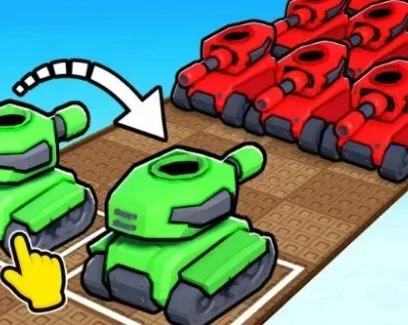
Auto Merge: Automatically combines identical tanks to progress to higher tiers without manual dragging.
Auto Place Tanks: Instantly deploys newly merged or purchased tanks onto the board.
Auto Replace with Better: Automatically swaps out lower-tier active tanks with newly merged higher-tier tanks, optimizing your board space.
Worker Management
Equip Best Worker: Automatically identifies and equips the highest-stat worker for your current progression.
Auto Add Workers to Tanks: Assigns workers to your tanks to boost their generation or combat stats, a mechanic often ignored by basic merge scripts.
Configuration and UI
Full Config System: Create, load, overwrite, and delete configurations. The Set as autoload feature instantly applies your exact merge and worker settings upon script execution.
Deep UI Customization: Adjust background, main, accent, outline, and font colors, along with font face, background images, and theme lists.
Utility: Menu bind, Anti-AFK, and Unload features for quick access and stealth.
Why Choose This Script
Worker Allocation Logic: Most merge scripts only automate the dragging and dropping. This script actively manages the workforce (Equip Best, Auto Add), which is the actual bottleneck for scaling production in late-game Merge a Tank.
Autoload for Mobile: Saves your exact settings and applies them instantly on the next execution. This is critical for mobile users who want to avoid re-toggling complex menus on a small screen every time they rejoin.
Zero Friction Access: Completely keyless and natively mobile-friendly, requiring no Discord verification or PC-only executors.
How to Use
Launch Merge a Tank on Roblox.
Open your PC or mobile executor.
Inject the executor and paste the script.
Execute the script and open the GUI.
Enable Auto Merge, Auto Place, and Auto Replace with Better.
Toggle Equip Best Worker and Auto Add Workers to Tanks.
Save your setup using the Create Config and Set as autoload options.
FAQ
What does Auto Replace with Better actually do? It monitors your active board slots and your inventory. When you merge a higher-tier tank, the script automatically swaps it with the lowest-tier tank on your board, ensuring your active slots are always maximized for production or combat.
How does the Autoload config feature help on mobile? Mobile executors can be tedious to configure every time you join a server. By using Create Config and saving your exact Auto Merge and worker settings, you can instantly restore your setup on future sessions without re-toggling dozens of menus.
Why is worker management included? In Merge a Tank, simply having high-tier tanks isn't enough; you need workers assigned to them to unlock their full potential. The Auto Add Workers and Equip Best features automate this secondary progression layer, which basic auto-clickers completely miss.
Is there a key system or Discord verification required? No. This script is completely keyless. You can execute it directly without interacting with any link-shorteners, Discord servers, or verification pages.
 Discord







Comments
Loading comments…