 Discord
335Views
213Copies
NeverUpdated
Identify every role, recover the Sheriff’s dropped gun, and prepare your next move from one setup. Role ESP reveals the Murderer, Sheriff, and other players, while Auto Collect Dropped Gun can help an Innocent take over as Hero after the Sheriff falls. When you have a weapon, Silent Aim directs attacks toward the chosen target.
Use Silent Aim Target Mode Selection and Silent Aim Body Part Selection to control targeting. Adjust the active area with Silent Aim FOV Adjustment, then enable Silent Aim Wall Check to avoid selecting players behind solid cover.
Round flow: reveal roles → collect coins → recover the dropped gun → aim when armed → run the selected action.
Auto Collect Coins gathers coins throughout the map.
Full Coin Bag Action Selection decides what happens when your bag reaches its limit.
Auto Collect Dropped Gun retrieves the weapon left by an eliminated Sheriff.
Run Role Action activates the selected action for your current role.
Death Action Selection controls what the script does after your character is eliminated.
Item Pickup Speed Adjustment lets you change how quickly collection features handle nearby items.
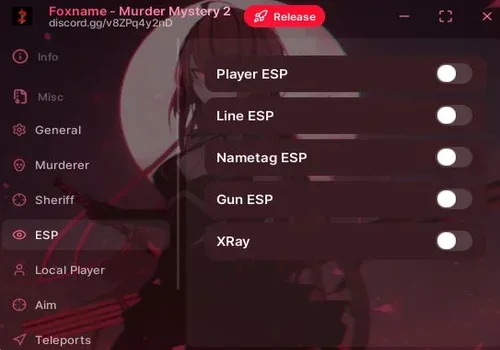
Role ESP is the main information tool, with Role Highlight Selection controlling which roles stand out. ESP Preview helps you check the overlay before playing.
Available player details include Box ESP, Name ESP, Health ESP, Team ESP, Player Tracers, Skeleton ESP, and Held Item ESP. Use ESP Maximum Distance Adjustment to limit how far these markers appear.
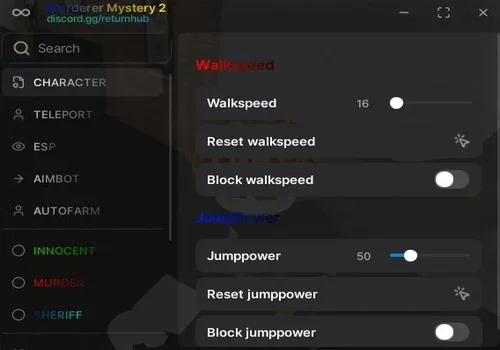
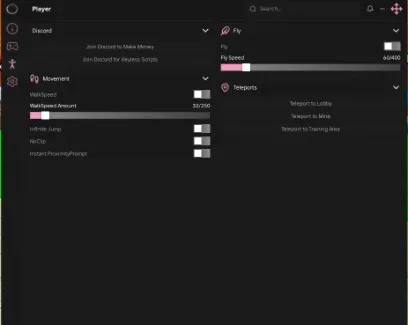
Change movement with Walk Speed Adjustment, Jump Power Adjustment, and Fly. Anti Fling helps prevent other characters from throwing you across the map, while God Mode provides the script’s additional survival protection.
Visibility options include Anti Fog, Full Bright, shadow removal, effect removal, custom world time, and adjustable wall X-ray. These tools can make dark rooms and distant players easier to see.
The interface supports automatic saving and loading, a custom toggle key, scale adjustment, and a visible keybind list. Colors and transparency can be changed across the window, panels, sections, controls, and accent elements.
Create named setups with Save Configuration Preset, then restore them later with Load Configuration Preset.
This script loads code from an external source. Review the URL and understand what it does before running it in Roblox.
https://unknownhub.win/api/projects/54474b4c5d5a4f459909c4cb70e7b4f3/loader


Comments
Loading comments…